After a long hiatus, Lakka is finally back!
![]()
New version of Lakka has been released!
We are happy to announce the new and updated version of Lakka. Lakka 4.3 is based on RetroArch 1.14.0. Read the full article on our sister site here.
After a long hiatus, Lakka is finally back!
![]()
New version of Lakka has been released!
We are happy to announce the new and updated version of Lakka. Lakka 4.3 is based on RetroArch 1.14.0. Read the full article on our sister site here.

RetroArch 1.14.0 has just been released.
Grab it here.
If you’d like to learn more about upcoming releases, please consult our roadmap here.
Remember that this project exists for the benefit of our users, and that we wouldn’t keep doing this were it not for spreading the love to our users. This project exists because of your support and belief in us to keep going doing great things. We have always prioritized the endusers experience, and unlike others, we have never emburdened them with in-app ads, monetization SDKs or paywalled features, and we intend to continue to do so. If you’d like to show your support, consider donating to us. Check here in order to learn more. In addition to being able to support us on Patreon, there is now also the option to sponsor us on Github Sponsors! You can also help us out by buying some of our merch on our Teespring store!
NOTE: Check our Libretro Core Progress Report (May to December 2022) article here.
1.14.0
We will cover all core updates here from May 2022 to December 2022. It has been a long time since our last core update report, so bear with us as we go through this long laundry list.
There might be more cores that have seen updates which have gone underreported during this time period. We will make an effort to update it as we go along in case we notice any omissions.
Previously, the emulator only ran at the default 320 x 240 resolution.
This PR fixes this, allowing other resolutions to display properly.
This should fix issues in (at least) the following games, based on my testing :
* Atari Karts
* Club Drive
* Evolution Dino Dudes
* Flashback
* I-War
* Pinball Fantasies
* Trevor McFur in the Crescent Galaxy
The data contained in the PBP is in little-endian format. Therefore,
everything in the PBP’s header must be read with the byte-swap macros,
for PBP support to work on big-endian systems.
The hardware registers, emulated RAM or emulated VRAM are all in
little-endian format. Therefore, each access must be done with one of
the byte-swap macros, for the plugin to work on big-endian systems.
The bgr555_to_rgb565() and bgr888_to_rgb565() functions were only
working correctly on little-endian systems.
Instead of using custom code to byte-swap values, use the built-in
function provided by GCC.
Update the gpulib code to work properly on big-endian architectures.
The hardware registers should be represented in little-endian format.
Therefore, on big-endian systems the values need to be byte-swapped.
The __BIGENDIAN__ macro was never defined anywhere, and the
__BIG_ENDIAN__ macro isn’t set anymore by recent versions of GCC.
Replace them by checking __BYTE_ORDER__ against __ORDER_BIG_ENDIAN__.
Map a 8 MiB code buffer at (base + 0x80.0000), right after the emulated
RAM. In this code buffer, Lightrec will write the recompiled code for
the host machine.
In general, the code buffer support is very useful when the host
platform has only a small RW+X memory area available for JIT purposes,
like it’s the case on the WiiU.
On Linux, this isn’t a concern, but having a code buffer does still
bring a benefit: if both the start address and the end address of the
code buffer’s address fit in 32 bits, then Lightrec’s code LUT can be
shrunk in half (2.5 MiB instead of 5 MiB), as it only needs to store
32-bit pointers.
The dynarec instead should probably not run for thousands of cycles
doing no interrupt checks, but maybe this hack will be enough. Fixes Resident Evil: DC (DS Ver.) – Memory card is not inserted
Adapt the current psxmem.c code to support Lightrec’s custom memory
init functions.
lightrec: Add new memory init functions
Lightrec can greatly benefit from having the RAM/BIOS/scratchpad and RAM
mirrors mapped to specific addresses. For the same value of (offset):
– If the RAM is mapped to (offset), the BIOS is mapped to
(offset + 0x1fc00000) and the scratchpad to (offset + 0x1f800000), the
generated code will be better;
– If the RAM is also mirrored to (offset + 0x200000), (offset + 0x400000)
and (offset + 0x600000), the generated code will be even better;
– If the offset is 0x0, the generated code will be even better.
Additionally, the new memory init code will attempt to use huge pages
when possible, in order to greatly reduce the overhead of the MMU.
This requires a few changes, since a pointer whose value is 0x0 will be
detected as a NULL pointer. The read/write LUTs are now initialized with
0xff, and all pointers are now checked against a new INVALID_PTR macro.
Mapping the emulated RAM to the address 0x0 will allow Lightrec to
generate much better code.
Works around driver crashes on AMD Windows since driver seems to rely on unwinds to work properly.
libco cannot support this without using a more robust backend.
Added 384×216 resolution, so we can have a fullscreen, pixel-perfect experience at both 1920×1080 (Full HD) and 3840×2160 (4K).
Note: for this to work, the aspect ratio “Full” must be set in Settings -> Video -> Scaling.
See changelog here.
The Game Boy palettes that have been received an update are: Super Saiyan God, Super Saiyan Blue, Super Saiyan, Super Saiyan 3, and AKB48 Pink. Plus, Pepsi Blue from here on out is called Pepsi-Cola Blue, to avoid name confusion with the actual Pepsi Blue soft drink.
Used [[fallthrough]]; to mark affected areas. Such keyword should be
available since C++11
NOTE: To load multiple files at once, place PRCs and PDBs into a ZIP file and then
load that ZIP file. PDBs will be installed first followed by PRC files.
NOTE: Enhanced per-tile vertical scroll – This emulation hack allows allows each cell to be vscrolled individually, instead of being limited to 2-cell (16px). The offset of the new, intermediary cell is calculated as an average of the offset of the current 2-cell and the offset of the next 2-cell.
See this thread here for before/after comparisons.
CDI NVRAM is extremely small, so saving to it becomes an issue when you have many games. This separates NVRAM into game specific dirs
Hack to support CDI/2352 format, per hack listed [here](https://github.com/mamedev/mame/pull/8529/files)

RetroArch 1.13.0 has just been released.
Grab it here.
If you’d like to learn more about upcoming releases, please consult our roadmap here.
Remember that this project exists for the benefit of our users, and that we wouldn’t keep doing this were it not for spreading the love to our users. This project exists because of your support and belief in us to keep going doing great things. We have always prioritized the endusers experience, and unlike others, we have never emburdened them with in-app ads, monetization SDKs or paywalled features, and we intend to continue to do so. If you’d like to show your support, consider donating to us. Check here in order to learn more. In addition to being able to support us on Patreon, there is now also the option to sponsor us on Github Sponsors! You can also help us out by buying some of our merch on our Teespring store!
NOTE: Since it has been a very long time since the last core progress update report, there will be a Core Progress report very soon listing all the changes over the past 6 months that have been made to all the cores in our repertoire. A ton of stuff has happened, lots of things have been improved, and it’d be criminally negligient not to talk about it at all. So stay tuned for that blog post.
The feature ‘Vibrate On Key Press’ has been enabled by default now on Android. You will get haptic feedback when pressing any of the overlay gamepad elements onscreen, improving the user experience.
In addition, several big improvements are being made under the hood to improve and refine overlay touchscreen controls. Read more about that later in this article (see ‘Overlay / onscreen gamepad controls improvements’).
Threaded Video is also disabled now by default on new installs/configs. We have left this setting on since 2013 when frame time spikes were dreadful on Android due to SoCs being underpowered and tons of processes running in the background. Fastforward nearly 10 years later and we feel times have changed since and it’s a little safer to disable it now. Threaded video can theoretically be faster than non-threaded video but also leads to more judder and less precise frame times. Non-threaded video therefore (if frame time deviation is below 5% margins) should lead to smoother frame times. It’s still possible for the user to enable Threaded video if they desire, so nothing has been lost in the process.
Note – another benefit of non-threaded video being the default is that it fixes some issues that were experienced upon focus loss of an app and re-entering RetroArch.
Thanks to the new Swift backend targeting iOS 13 and up, it has become easier to add several new QoL features, such as iPad trackpad support for iOS 13.4 and above.
Users upgrading to the recent macOS Ventura would have discovered that RetroArch had issues going into fullscreen. This has been fixed in this newer version.
Some keyboard keys have also been hooked up that were not added to the key symbol map before, such as Z/X, and the left meta key.
Android/iOS users are going to benefit a lot in this release and upcoming versions from various improvements being made to neil4 to overhaul and improve touch controls.
Several gamepad overlays have already been updated to take advantage of these new features. These are as follows:
There are also new ‘lite’ overlays that take advantage of all the new features described below. In particular, the lite overlays rely heavily on ‘exclusive’ hitboxes.
Let’s go into what has been added so far to this release:
E.g. This would create a d-pad area, then redefine it to use analog directions:
overlay0_desc0 = “dpad_area,0.85,0.57,rect,0.166228,0.295516”
overlay0_desc0_up = “r_y_minus”
overlay0_desc0_down = “r_y_plus”
overlay0_desc0_left = “r_x_minus”
overlay0_desc0_right = “r_x_plus”
Note: If ‘Hide Overlay in Menu’ is enabled and the menu is up, the overlay preset will be read (loaded & unloaded without being shown) to know which overlay types are in the preset, i.e. whether to show eightway settings or not.
These allow stretching (or shrinking) hitboxes and handling their overlap. Does not affect image, analog range, or analog/eightway center.
reach_up, reach_down, reach_left, reach_right:
reach_x, reach_y
E.g. In the overlay cfg, this creates a D-Pad area and extends its hitbox left & right 50%, up 15%, and down 30%:
overlay0_desc0 = “dpad_area,0.15,0.57,rect,0.166228,0.295516”
overlay0_desc0_reach_x = 1.5
overlay0_desc0_reach_up = 1.15
overlay0_desc0_reach_down = 1.3
exclusive:
If true, blocks input from overlapped hitboxes
range_mod_exclusive:
Similar, but only applies when this hitbox is extended by range_mod
After range_mod takes effect, has priority over ‘exclusive’
E.g.
overlay0_desc0_exclusive = true
overlay0_desc1_range_mod_exclusive = true
Expected use cases:
I.e. Set ‘reach_x’ or ‘reach_y’ to zero to ensure no hitbox math is done.
This simplifies designating animation-only descriptors (e.g. for eightway areas) or obsolete descriptors.
PS1 and PS2 content scanning has been improved significantly in RetroArch. All PS2 discs should now be able to be scanned. Previously, only CD-based PS2 games could be scanned and not DVD-based ones.
PS1 content scanning has also been improved. More content should be able to be recognized now that the system is also able to scan PSX.EXE files on a disc. For instance, it was not possible to scan ‘Street Fighter: Real Battle on Film’ before because of this. Also, all LSP- titles were previously ignored, which has also been fixed.
Various improvements made to the menu system in terms of usability and UX thanks to sonninos.
For a more exhaustive list of all changes made to the menu, consult the Changelog.
After RetroArch 1.11.1, an unexpected side effect caused many shaders (e.g. crt-easymode-halation or newpixie.crt) to render an oversaturated and dark image when using Vulkan and HDR on Windows 10/11. To fix this now with the Vulkan driver, we only skip the tonemapper if HDR10 is explicitly enabled by the last shader pass. Otherwise, we are simply just inheriting the bit-depth of the swapchain.
1.13.0

RetroArch 1.12.0 has just been released.
Grab it here.
If you’d like to learn more about upcoming releases, please consult our roadmap here.
Remember that this project exists for the benefit of our users, and that we wouldn’t keep doing this were it not for spreading the love to our users. This project exists because of your support and belief in us to keep going doing great things. We have always prioritized the endusers experience, and unlike others, we have never emburdened them with in-app ads, monetization SDKs or paywalled features, and we intend to continue to do so. If you’d like to show your support, consider donating to us. Check here in order to learn more. In addition to being able to support us on Patreon, there is now also the option to sponsor us on Github Sponsors! You can also help us out by buying some of our merch on our Teespring store!

There is now an entirely new way to display and organize content – Views!
You can turn a filter set in the Explore menu into a so called “View” file which then gets listed alongside playlists. This also adds the ability to filter a category by range in the Explore menu and not just filter on exact matches.
The views are saved into .lvw (libretro view) files that just like playlist .lpl (libretro playlist) files are in JSON format and are stored in the same playlists directory.

Here’s some examples of views that are now possible with the new range filtering:
These are just some examples of what is possible with this new system. It’s a pretty powerful system, and we hope this gives you a lot of flexibility to better organize your content.
How to use it
Courtesy of neil4 who implemented this great feature
This repurposes the setting ‘Vibrate On Key Press’, which previously enabled a 16ms vibration on any screen touch.
Now the device’s standard keypress feedback is triggered on overlay key/button state changes, except when a finger leaves the screen.
It’s currently only implemented for Android, but it can potentially be implemented for other systems with haptic feedback later. It’s not enabled by default for now so you will have to enable it manually. To do this, go to Settings -> Input -> Haptic Feedback/Vibration, and enable ‘Vibrate On Key Press’.
The iOS ARM64 port is completely revamped and targets iOS 13 and later now. It leverages Swift and it has some unique features.

For instance, it adds support for revealing the onscreen keyboard and enabling touch screen mouse input by adding a toolbar that is revealed by tapping the top of the screen.

There is also now an iOS 16 lockscreen widget.
Some important WiiU platform improvements. Default directories should now be created on the fly (fixing a longstanding issue), and some of the networking issues that popped up in 1.11.x have now been fixed.
1.12.0

RetroArch 1.11.1 has just been released.
Grab it here.
If you’d like to learn more about upcoming releases, please consult our roadmap here.
Remember that this project exists for the benefit of our users, and that we wouldn’t keep doing this were it not for spreading the love to our users. This project exists because of your support and belief in us to keep going doing great things. We have always prioritized the endusers experience, and unlike others, we have never emburdened them with in-app ads, monetization SDKs or paywalled features, and we intend to continue to do so. If you’d like to show your support, consider donating to us. Check here in order to learn more. In addition to being able to support us on Patreon, there is now also the option to sponsor us on Github Sponsors! You can also help us out by buying some of our merch on our Teespring store!
NOTE: The Android version on Samsung Galaxy Store, Huawei AppGallery, and Amazon App Store will be updated soon. We will remove this notice when it has been updated. Until then, grab the APK from our site.
NOTE: Several size optimizations have been made to the packages. We no longer pre-install all of the optional XMB theme packs or other miscellaneous assets. Previously we also shipped autoconfig files that were irrelevant for that specific platform. By excluding these files from the package, we have managed to reduce the filesize and overall amount of files of RetroArch downloads/installs significantly. On consoles this will be very helpful where SD card/FTP installs can tend to be very slow.
If you still want to have all assets, you can go to Online Updater and select ‘Update Assets’. This will install all assets.
1.11.1
1.11.0
SUBOPTIMAL_KHR can happen there when rotation (pre-rotate) is wrong.
Article written by HyperSpaceMadness


RetroArch keeps introducing innovations to the retrogaming world, constantly building simple roads for players to enjoy classic games in new and sometimes better ways.
Getting the sweet spot between ease of use and customization can be a time-consuming process, and sometimes requires a deep insight of how old technologies worked: refresh rate, aspect ratio, scaling, overscan, deconvergence are terms which we may or may not be familiar with, and these all play an important part in building a retro gaming experience that feels better, yet passionately authentic.
How do we get a handle on this?
Building an idealized CRT (cathode ray tube) like display experience. Getting the best out of post-processing with the latest CRT shaders fused into a “one stop” solution. Making it incredibly easy to customize, and yet performant. A fresh and unique starting point for the retro game lover.

The Mega Bezel Project started back in July 2019 when developer HyperspaceMadness was looking at experimental shaders creating real-time reflections on emulated display bezels. More than two years later, the swiss-army-knife of visual simulation to enhance the retro game experience is ready for players!

The Mega Bezel is unique in that it bends the common definitions of shaders and overlays in an out-of-the-box experience: custom calculations take care of games native resolution and scaling, dynamically draw bezels around the gameplay area filled with curvature simulation and reflections, incorporating a unique pipeline of CRT simulation models and other visual conditioning of the game image, color correction, de-dithering, and adding responsive backgrounds and lots of additional features to enjoy.
The shader centralizes a lot of complex tasks and makes them instantly available for all cores: screen rotation and position, horizontal and vertical orientation, zooming, cutting away games black spaces to get a real full-screen, and filling the aspect ratio difference between the emulated screen and your monitor with interesting graphics. Mega Bezel even adds original solutions, like the ‘Night Mode’ to simulate a dimly lit room and ‘Glass Mode’ for a modern and dynamic way to fill the entire monitor.

Being based on contributions and discussions from the Libretro forums, Mega Bezel is a community project at its heart: shader writers and artists are actively developing features and customized presets which max out the shader capabilities, and making them freely available for retro players to enjoy and further customize, chasing the their ideal setup.

Easy to use for newcomers, deep in customization for emulation maniacs, flexible for artists: the Mega Bezel project is a fun ongoing journey that strives to bring wonderful features to everyone, minus the hassle of setup!

You can get the basic Mega Bezel shaders inside RetroArch by running Online Updater -> Update Slang Shaders then the shaders will be located inside shaders/shaders_slang/bezel/Mega_Bezel/Presets. Be sure to read the setup portion of the ReadMe.md to help you get started you can find it in the Mega_Bezel folder just mentioned.
A small group of talented artists has also come together using the Mega Bezel to create suites of shader presets with beautiful graphics covering many consoles, computers and PVMs to share with retro gamers.
If this sounds exciting head over to the Mega Bezel thread on the Libretro forum to find more about the Mega Bezel, and links to the artist’s pages and shader preset collections.
https://forums.libretro.com/t/hsm-mega-bezel-reflection-shader-feedback-and-updates/25512
Below are more examples of the Mega Bezel and artwork from the community.


Windows 10/11 users now have an even more convenient way of installing RetroArch! RetroArch is now available from the Windows Package Manager (see here).
The video will show you how to install it.
First, start up the Command Prompt. You can go the Start Menu and type in ‘Command Prompt’ and then click on it to start it up, or simultaneously press Windows key + R key, and then type in ‘cmd’.
Once on the command line, you can search for packages to see if they exist. To search for RetroArch, tyep in the following:
winget search RetroArch
Lowercase ‘retroarch’ will work as well. An entry should show up.
Now that we know the package exists on the package manager, we should be able to install this. Simply type on the commandline:
winget install RetroArch
It will now install RetroArch without requiring any user interaction. Note that this version of RetroArch will not attempt to install the DirectX9 SDK in case it doesn’t already exist. We assume on modern Windows you will use the Direct3D 10/11/12 or Vulkan/OpenGL drivers anyway.
Once installed, you should be able to find it from the Start Menu as a recently added application.
Uninstalling RetroArch once installed is similarly easy. Simply type the following on the commandline:
winget uninstall RetroArch
Our aim with RetroArch is to be available on as many storefronts and outlets as possible. We have made some impressive progress over the years.
We have even more plans to expand that we cannot talk about yet!
We’re happy to announce that RetroArch is now available on the Samsung Galaxy Store! For free, of course.
The Galaxy Store should be pre-installed by default on Samsung phones. It is a storefront available exclusively for Samsung-branded devices.
Open the app on your device, type in RetroArch in the search bar, and download it from there.
The version available on the Galaxy Store is identical to the version you can download from our website.
It has a couple of big advantages over the Google Play Store version:
* There is no set core limit. For RetroArch Plus on the Play Store, it is up to 127 cores that can be installed. We have to hand-pick these cores specifically so that users can install them on the Google Play Store.
* Cores are distributed from the Libretro buildbot infrastructure. There are far more cores available than on the Play Store.
On a Samsung phone, you have the choice to choose between either version. Regardless, we highly recommend you use the Galaxy Store version over the Google Play Store version. Reasons are listed above, but on top of that, the Google Play Store version has not been updated for a while because of increasing restrictions and requirements that we haven’t caught up with yet.
Bottom line, we anticipate the Google Play Store version to become more and more nerfed as time goes on unfortunately. There is nothing we can do about this, these are restrictions and limitations imposed by Google to have the software available for distribution on the Play Store. To get a more full-featured version, download the Galaxy Store version.
RetroArch should now be available on the Google Play Store, Amazon App Store, Huawei App Gallery, and Samsung Galaxy Store. No matter what device you are on and which ecosystem you are in, we try to have you covered.
![]()
New version of Lakka has been released!
We are happy to announce the new and updated version of Lakka. Read the full article here.

RetroArch 1.10.3 has just been released.
Grab it here.
If you’d like to learn more about upcoming releases, please consult our roadmap here.
Remember that this project exists for the benefit of our users, and that we wouldn’t keep doing this were it not for spreading the love to our users. This project exists because of your support and belief in us to keep going doing great things. We have always prioritized the endusers experience, and unlike others, we have never emburdened them with in-app ads, monetization SDKs or paywalled features, and we intend to continue to do so. If you’d like to show your support, consider donating to us. Check here in order to learn more. In addition to being able to support us on Patreon, there is now also the option to sponsor us on Github Sponsors! You can also help us out by buying some of our merch on our Teespring store!
FBNeo, LRMAME2003 Plus, UAE and VICE have seen the regular weekly updates/improvements. We can’t list all the changes there, so we just suggest you go to the respective Github repositories and check out the chanes there.
LRMAME updated to version 0.242 (latest). LRMAME is now also available for ARM Macs now. You can get it from the Core Downloader.
FourScore support (4 player multitap) has been added for the following games:
This core has a new auto frameskip mode (based on free audio buffer space).
The Lightrec dynamic recompiler has been updated, and it should fix several crashes and bugs that occurred before. This would only affect users on x86/x86_64 and MIPS architecture processors, as ARM architecture-based systems continue to use the Ari64 dynarec instead.
There has been a GunCon overhaul, the following input descriptors have been added:
The GW (Game & Watch) Libretro core is now available for the MSVC 2005 and 2010 Windows versions. These versions can run on older Windows OS versions than the regular version.
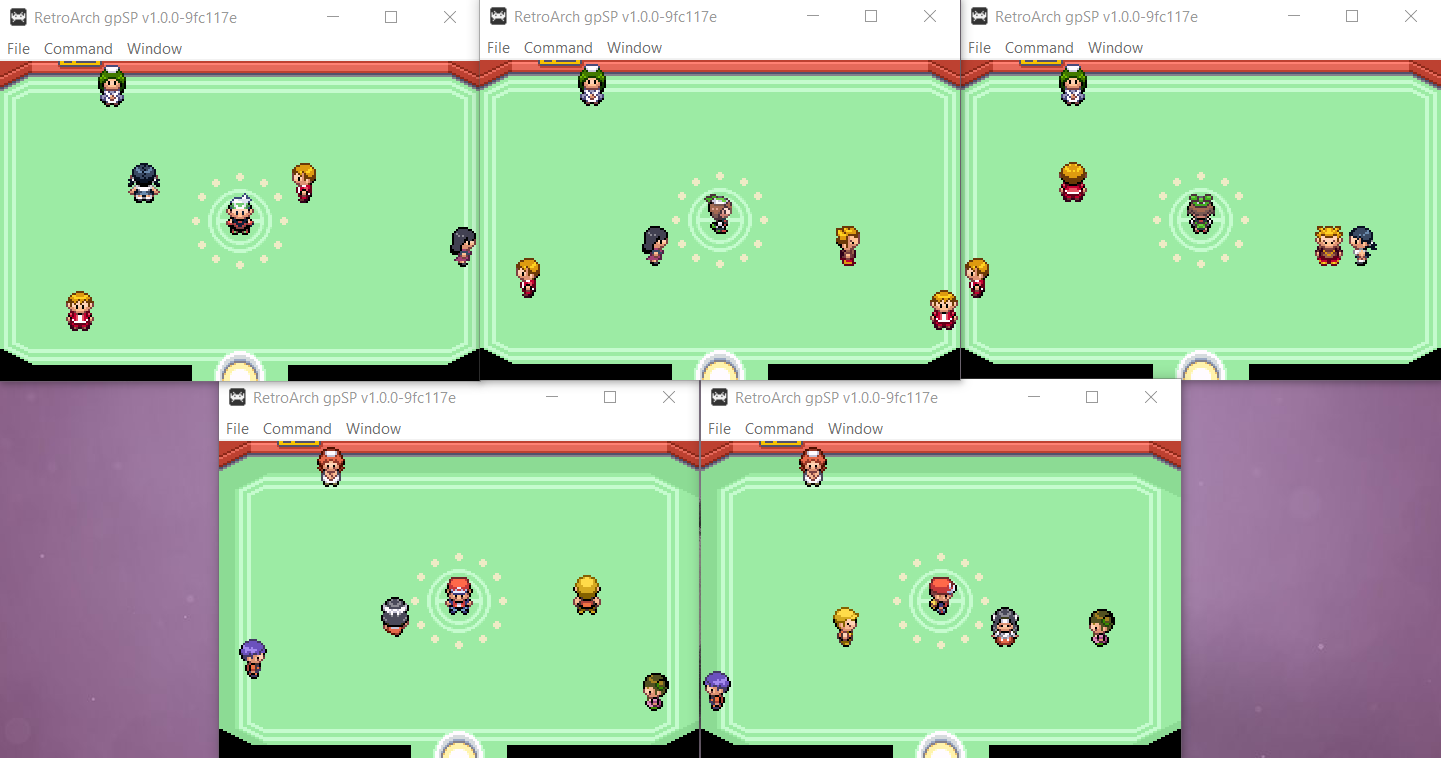
The gpSP Libretro core now uses a small translation cache for the Miyoo platform.
An emulator of the Amstrad CPC 8bit home computer range. This has seen several improvements.
The SMS Plus GX Libretro core should now be more stable on RetroArch PSP. We achieve this by avoiding unaligned memory access. Previously, after starting a game, the console would have a tendency to locks itself and shut down.
Other related changes – we replaced ALIGN_LONG with ALIGN_DWORD for Miyoo and RetroFW to match
the standalone versions. This fixes Master System background rendering. It was dropped from 3DS as ARMv6 allows unaligned memory access and defining that macro had no effect anyway. ALIGN_DWORD was dropped from Raspberry Pi (ARMv6/7/8), Classic (ARMv7), OS X non-PPC (x86, ARMv8), Vita (ARMv7) and Switch (ARMv8) as those platforms support unaligned memory access.
Fixed a couple inaccuracies in the VSU modulation emulation, fixing a few sound effects in “Virtual Boy Wario Land”.
The Nintendo Entertainment System emulator core has seen a couple of improvements.
Before, the core would upload audio by using the audio batch callback multiple times per frame, unduly ‘stressing’ the frontend audio buffer and leading to poor AV synchronisation.
We now ensure that the audio batch callback is only used once per frame (unless the frontend does not support batches of sufficient size, in which case the samples will be split appropriately).
We also did the following:
Add 4:3 (Preserved) & 16:9 (Preserved) aspect ratios
Mesen by default preserves the aspect ratio in all cases when cropping the overscan, which results in a difference between the core provided 4:3 and 16:9 ARs, and RetroArch’s own 4:3 and 16:9 ARs, which doesn’t always results in a ideal image (specifically 16:9 on a 16:9 display will look weird when cropping is applied).
We now separate Mesen’s preserved 4:3 and 16:9 ARs into their own selections for the core provided aspect ratio so people can choose whenever or not they want the aspect ratio to be preserved when using either one of the selections as their core provided aspect ratio.
The Super Nintendo Entertainment System emulator core has seen a couple of improvements.
Before, the core(s) would upload audio in packets of 64 samples – which means the audio batch callback is used multiple times per frame, unduly ‘stressing’ the frontend audio buffer and leading to poor AV synchronisation.
We now ensure that the audio batch callback is only used once per frame.
This Flashback game engine core has now been added for the Miyoo platform as well.
Several serious crashes should be fixed now as a result of us updating the libco coroutines middleware library.
This Nintendo Entertainment System emulator core has seen several improvements.
More mapper additions and improvements
Improve mappers 49, 215/258, 340, 341, 351 and 444. Add newly-(re)assigned mappers 294 and 310. Add new mapper 467.
Expose internal audio RF filter option
The core already contains a low pass audio filter designed to recreate the ‘muted’ sound of the NES when connected to a television via the RF modulator – but for some reason this functionality is not enabled/exposed.
We have simply wired it up to a new Audio RF Filter core option. When enabled, the (subjective) improvement in audio quality is quite dramatic. The filter has a negligible performance impact.
(This filter produces the effect discussed here: https://forums.libretro.com/t/lowpass-filtering-for-nes-rf/37258)
Add optional ‘fake’ stereo sound effect
We added a new Stereo Sound Effect core option which may be used to simulate stereo sound by delaying the right audio channel (relative to the left) when upmixing the mono output from the NES. The delay can be configured from 1 to 32 ms.
The effect is identical to the fake stereo currently available in the Mesen core.
minivmac is an emulator for the Mini vMac, a miniature Macintosh. We added this core now for ARM Macs. It can be downloaded from the Core Downloader.
Genesis Plus GX is a Sega Master System/Sega Game Gear/Sega Megadrive/Sega Genesis emulator core.
We are using the low memory codepath now for Miyoo systems. As this platform only has 32MB RAM, like the RS-90.
The Rick Dangerous game engine core has been added for the Miyoo platform.
This Super NIntendo Entertainment System emulator core has seen several improvements.
Before, the core had bad audio sample pacing:
As a result, the core had bad audio/video synchronisation, affecting frame pacing.
We fixed several issues:
In addition, we did the following
Snes9x2005 Non-Plus: Add optional low pass audio filter
Apart from a substantial difference in audio emulation accuracy, probably the most obvious difference between the ‘plus’ and ‘non-plus’ versions of the core is that the latter has an inadequate level of low pass audio filtering, leading to tinny/scratchy sound.
We added a simple optional low pass filter at the output stage of the ‘non-plus’ core. When enabled, audio is more mellow/bassy, and the generated sound is closer to that produced by the ‘plus’ version – with only a negligible increase in performance requirements.
This Super NIntendo Entertainment System emulator core has seen several improvements.
Use audio batch callback only once per frame
Before, the core would upload samples in batches of ~64, which means the audio batch callback is used many (~9) times per frame. This ‘overstresses’ the frontend audio buffer and leads to bad AV synchronisation.
We have fixed the issue by ensuring that the audio batch callback is used to send all available samples only once per frame.
Improve save state efficiency + fix save state size
At present, every time that retro_serialize_size() is called (i.e whenever save states are used), the core determines the save state size by allocating a temporary 5 MB buffer and writing into this an actual save state. Moreover, it then fails to report the actual size correctly due to a bug in the memory stream wrapper code – which means save states are always 5 MB in size. This represents a terrible inefficiency.
Now, the save state size is now calculated independently of regular save state creation. No temporary buffer is required, and there is no need to actually write a save state to memory – and save states now have the correct size (~830 kb)
This Sony PlayStation1 emulator core has been updated.
Big improvements for WonderSwan, Lynx and PokeMini emulator cores for the majority of systems that don’t happen to have VRR displays!
At present the core runs at ~75Hz, matching the native refresh rate of the WonderSwan hardware. This is fine if the core is run on a VRR display (or one that natively supports 75Hz…), but on regular 60Hz panels it can cause issues. In particular, screen tearing is very likely to occur. You can experience this on Linux (when not using a compositor and without vsync forced at the driver level) and on 3DS. The tearing is so bad on 3DS that we would previously consider the core to be unusable on that platform…
We now added a new 60Hz Mode core option, which can be used to force the core to run at 60Hz (actually 60.38Hz, but RetroArch handles this nicely via dynamic rate control). Note that the core still runs at the ‘correct’ speed when this option is enabled – internally, the core is running the nominal ~75 frames per second, but every 5th frame is ‘dropped’. This reduces video smoothness, but then 75Hz on a 60Hz display is not smooth either. More importantly, enabling this option eliminates screen tearing.
In addition, we have also made the following minor changes:
Thanks to this 60Hz mode, Beetle WonderSwan is now perfectly playable on RetroArch 3DS. We have enabled this option by default. If you are using a VRR display or if you are running at a native 75Hz resolution and would like to change it back to the native refresh rate, you can just turn this option off in Quick Menu -> Options.
We have also added the core for RetroArch PS2, although it can’t reach fullspeed. It’s debatable whether it’s worth including, but for now we keep it in.
There is also a new optional audio feature. The WonderSwan has a tendency to produce rather harsh/abrasive chiptunes. The low pass audio filter softens and ‘mellows out’ the generated sound.
At present the core runs at 72Hz, matching the native refresh rate of the Pokemon Mini hardware. This is fine if the core is run on a VRR display (or one that natively supports 72Hz…), but on regular 60Hz panels it can cause issues. In particular, screen tearing is very likely to occur. We could experience this on Linux (when not using a compositor and without vsync forced at the driver level) and on 3DS.
We have now added a new 60Hz Mode core option (enabled by default), which can be used to force the core to run at 60Hz. Note that the core still runs at the ‘correct’ speed when this option is enabled – internally, the core is running the nominal 72 frames per second, but every 6th frame is ‘dropped’. This reduces video smoothness, but then 72Hz on a 60Hz display is not smooth either (and few Pokemon Mini games are ‘smooth’ to begin with…). More importantly, enabling this option eliminates screen tearing.
This Atari Lynx emulator core has seen several big improvements.
Fix frame pacing
Before, this core had entirely broken frame pacing. The core reported a fixed refresh rate of 75Hz to the frontend, but the Lynx (and the internal emulation code) has a variable refresh rate of 0-75Hz; games can render at any rate they please. In retro_run(), the Lynx is always emulated until the next ‘end of frame’ event occurs – if a game renders at e.g. 25 fps, this means retro_run() will actually correspond to (1/25) seconds worth of Lynx runtime instead of the expected (1/75) seconds. In this case, the game is emulated too quickly – but it appears to run at the correct speed in the frontend because the core uploads an ‘oversized’ audio buffer (1/25 seconds worth of samples). RetroArch syncs on audio in such a way that when too many samples are received, the frontend runs in ‘slow motion’ – so the ‘too fast emulation’ + ‘too many audio samples’ effectively cancel out. But the results are awful. This is a significant violation of the libretro API, and it destroys the frontend’s ability to properly synchronise audio and video, and to pace the frames correctly.
We now modified the run loop such that a fixed number of CPU cycles are emulated on each call of retro_run(), corresponding to the actual frontend output video refresh rate (which can be set via a new Video Refresh Rate core option). Thus the Lynx is always emulated at the correct speed, audio is always uploaded in batches of the correct size, and generated video frames are captured and output when available (and when the frontend can accept them).
The default Video Refresh Rate has been set to 60Hz, which provides smooth results for most games (and also eliminates screen tearing on 60Hz displays, which was an issue when the core only reported a 75Hz refresh rate). If a game has a higher frame rate than this (rare, but e.g. the intro and menus of California Games run at the full 75 fps), then ‘excess’ frames will be dropped. Users with 75Hz+ VRR displays can set higher refresh rates to improve video smoothness in these cases.
Improve save state efficiency
Before, the retro_serialize() function determines the save state size by allocating a temporary ~310kb buffer, writing an actual save state into it, then fetching the resultant buffer occupancy. This is terribly inefficient – and retro_serialize() is called 3 times every time a state is saved or loaded…
We modified the serialisation memory stream code to allow a ‘virtual’ save state to be made – no buffer is required, and no data are copied. This means retro_serialize() can now fetch the save state size with no memory allocations and no wasted effort.
Add optional LCD ghosting filter
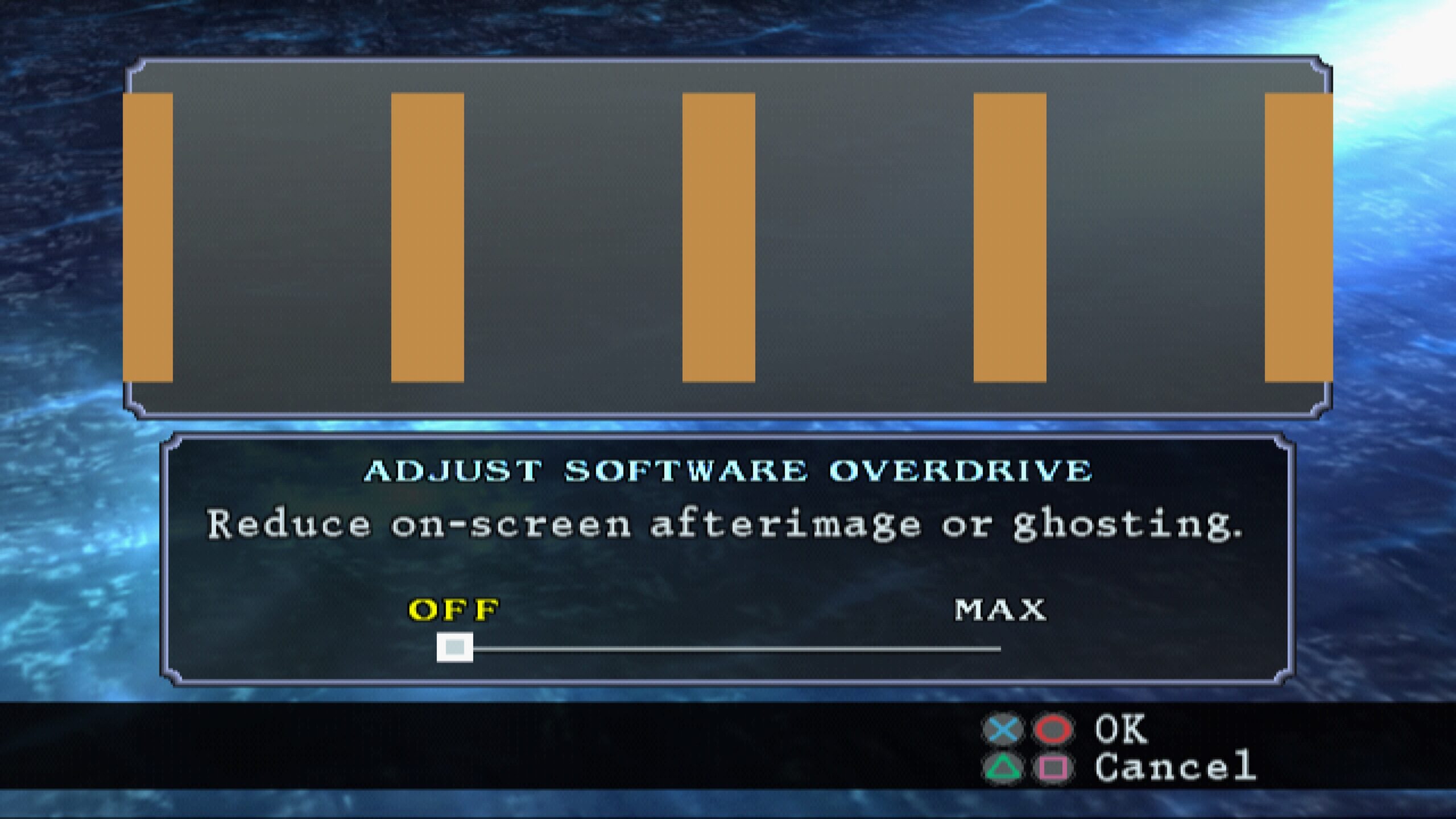
We added a new LCD Ghosting Filter core option which can be used to apply an LCD ghosting effect by blending multiple successive frames. The number of blended frames can be set from 2-4; using more frames improves the quality of the effect at the expense of increased performance requirements.
LCD ghosting is particularly beneficial for the Lynx because many games run at very low frame rates, and some blurring helps to smooth out the frequently ‘jerky’ screen updates.
See the Changelog below for a detailed breakdown of all the changes that have happened.
One of the biggest changes for Steam users by far is the new Steam Discord Rich Presence support. NOTE: You will need to use the desktop client in order for this to work. It won’t work with the webbrowser client.
1.10.3
![]()
New version of Lakka has been released!
We are happy to announce the new and updated version of Lakka. Read the full article here.
![]()
New version of Lakka has been released!
We are happy to announce the new and updated version of Lakka. Read the full article here.

RetroArch 1.10.2 has just been released.
Grab it here.
If you’d like to learn more about upcoming releases, please consult our roadmap here.
Remember that this project exists for the benefit of our users, and that we wouldn’t keep doing this were it not for spreading the love to our users. This project exists because of your support and belief in us to keep going doing great things. We have always prioritized the endusers experience, and unlike others, we have never emburdened them with in-app ads, monetization SDKs or paywalled features, and we intend to continue to do so. If you’d like to show your support, consider donating to us. Check here in order to learn more. In addition to being able to support us on Patreon, there is now also the option to sponsor us on Github Sponsors! You can also help us out by buying some of our merch on our Teespring store!

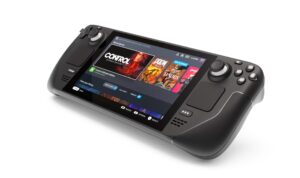
We’re gearing up for Steam Deck, and in the process we are finally starting to turn the RetroArch Steam version into something more than just a plain port (courtesy of Mats).
We came up with a SteamWorks shim that allows RetroArch Steam to interface with the Steamworks API. Mist, our middleware tool, runs in a separate process, runs concurrently wtih RetroArch Steam, and functions as a bridge between this separate process interfacing with Steamworks and the GPL application itself running in an entirely different process. This is 100% GPL compliant and the same approach has been employed by numerous other examples on Steam, including the aforementioned Icculus.

Thanks to Mist, here are some of the big new features for Steam users (and in particular, Steam Deck users):
As a result of these changes, the Steam port is starting to become its own thing rather than just a straightforward no-frills port of the Windows/Linux versions.
Big improvements have been made to several cores concerning improved audio latency and audio sample pacing.
Not only should performance be better, but you should also be able to lower audio latency buffers now while still getting perfect sound.
Here are some of the cores that have received work recently on this front:
For example, frame time deviations in a core like Snes9x 2010 are now extremely low with a default 64ms audio buffer. We measured 0.4 to 0.3% deviation, and this figure could likely be optimized even further by fiddling some more with audio buffer latency, or changing the audio driver.
Other measures have also been taken to further improve audio latency. Some cores have been updated now so that audio gets pushed to the frontend (i.e. RetroArch) AFTER the video frame has been uploaded. This is just in case the audio upload blocks for too long due to audio processing and syncing performed by the frontend. Uploading the video frame as soon as possible after the emulation loop is generally a good idea since it potentially avoids unnecessary input latency.
Steps have also been taken in cores to minimise use of the audio batch callback (for example, Tyrquake and Snes9x 2010), leading to better audio sample pacing, less overhead and better overall performance.
The following cores have been added for Miyoo platform users:
The following cores have been added for OpenDingux platform users:

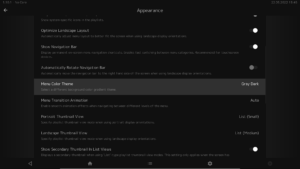
RGUI, MaterialUI and Ozone menu drivers now have new color themes. ‘Gray Dark / Gray Light’ themes have been added.
For XMB users, vertical fade adjustments have been made so that it functions a bit better like the original. Title margin can now also be adjusted, so that the title won’t cut off anymore on display devices with overscan (i.e. CRT TVs).
For RGUI users, 6×10 extended ASCII and Latin Extended A and B fonts have been added. These will enable most Latin alphabets to be displayed in RGUI.
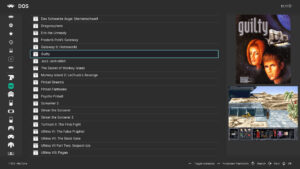
For Ozone users, a thumbnail scaling option has been added (Settings->User interface->Appearance). This option scales the size of the thumbnail sidebar, which in turns means the thumbnails are scaled along with it. It should scale the thumbnails so that they should fill up more screen real estate now in the right sidebar. See the picture below for an example.

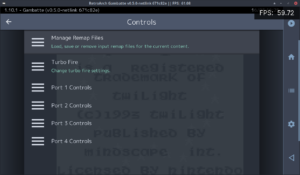
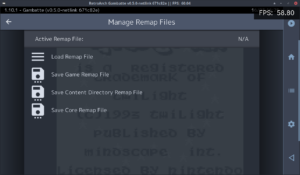
1.10.2 adds a new Manage Remap Files submenu to Quick Menu > Controls:


This updates correctly in real-time (the previous save/remove remap menu entries do not…), and only shows relevant options. When removing a remap, existing files are re-scanned and the one with the next highest priority (if found) will be loaded.
In addition, the currently active remap file will be saved automatically when closing content – i.e. it is no longer necessary (or indeed possible!) to save the file manually after each change.
We have also added a new Reset Input Mapping entry under Quick Menu > Controls > Manage Remap Files:
We have also fixed a nasty bug that could cause remap file corruption (incorrect or unwanted entries) when saving a remap after resetting one or more binds.
Before, RetroArch allowed the input ‘libretro device type’ to be set globally per-user. This was nonsensical for a couple of reasons:
1.10.2 fixes the issue by:
Note that device type is no longer stored in the main RetroArch config file, only in input remap files.

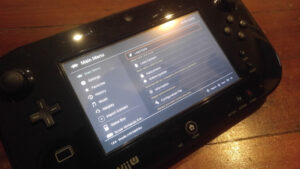
RetroArch WiiU adds a new option (Settings -> Video -> Output -> Optimize for GamePad). When enabled, it uses a 960p viewport if the user is on either 720p or 1080p (if they’re on 480p, they’re already optimized for GamePad). It defaults to off, so the native TV resolution is still preferred out of the box.
The Wii U is a weird case with RetroArch because of the two screens (TV and Wii U GamePad). The Wii U can be configured to output video at 480p, 720p or 1080p (or interlaced equivalents), whereas the GamePad has a native 480-line display. While it is possible to send different images to the TV and GamePad, RetroArch currently sends the same image to both. This creates a bit of a conundrum as 480 does not divide evenly into any of the other available resolutions.
When running 240p content, setting the Wii U to 720p just works, because a 3x integer scale (240*3 = 720) on the TV also happens to be a 2x integer scale (240*2 = 480) on the GamePad. However, when running 480p content, having the Wii U set to 720p will result in a poor image all around, with non-integer scaling from 480->720 on the TV, and then even worse, 480->720->480 on the GamePad.
Running the Wii U at 1080p, you get the worst of all worlds. Absolutely nothing divides evenly into 1080, so no matter what content you’re playing, you’ll need either large borders or a filter/shader to stretch to that non-integer resolution, and putting that 1080p image back on the 480p GamePad makes it even worse again. Many users only use 720p because of the poor results you get from 1080p currently.
By running 1080p with a 960p viewport, you can do things like a 4x integer scale of 240p content which becomes a 2x integer scale on the GamePad, or a 2x scale of 480p content which becomes a 1x native display on the GamePad. Even more exotic resolutions like the Game Boy Advance (160p) are enhanced, with 160 dividing 6x into 960 or 3x into 480. This one change makes 1080p a lot less useless on Wii U.
Not listed here of course are all the countless improvements made to individual cores since the last version. We might go into more detail on that sometime later, but rest be assured that cores are updated on a daily basis and receive heavy improvements, so keep updating your core library to get the latest benefits at all times!
1.10.2
![]()
Original article here.
New version of Lakka has been released!
We are happy to announce the new and updated version of Lakka.
Changes since version 3.7:
This is our first release with the updated build system. We tried to port all our changes to this new build system, but we might have missed some of our optimizations and enhancements. Please report us any regression or missing features or drivers via our issue tracker.
Not all platforms have been ported to the new build system yet. For these platforms we have released a maintenance update (3.7.1) with RetroArch and libretro cores updated to the same versions as in 4.0 release. Lakka users with Hardkernel’s Odroid XU3/4, Odroid Go Advance / Super, and Anbernic’s RG351M / RG351P / RG351MP / RG351V devices get update as well.
See GitHub for information about currently open bugs and issues and also for possible workarounds for these bugs/issues.
You can download the latest release from Lakka download page. If you want to follow the development of Lakka more closely, you can download latest Lakka nightly builds.
If you want to show your support for further development of the Libretro projects and ecosystem, you can learn more here.
Happy retro-gaming!
Libretro and its various contributors have certainly been busy these past few weeks. We bring to you a wide range of new cores, available for use in RetroArch, and/or any other Libretro-compatible frontend.
The a5200 core is an optimised Atari 5200 emulator based on Atari800 2.0.2. Originally developed for the GCW Zero, it runs full speed on even the weakest hardware (e.g. o3DS) – yet with a design focussed on ease of use and tight libretro integration it provides a simple ‘plug and play’ solution for Atari 5200 content on all platforms. The core debuts with robust input handling (including analog and number pad entry), audio filtering, CRT ghosting effects, an optional internal open-source BIOS and full save state support. Further enhancements are planned over the coming weeks.
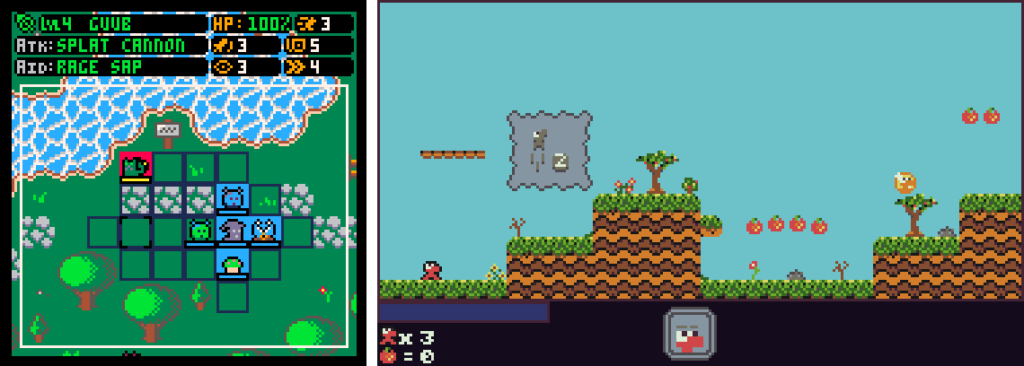
WASM-4 is a low-level fantasy game console for building small games with WebAssembly. Game cartridges (ROMs) are small, self-contained .wasm files that can be built with any programming language that compiles to #WebAssembly.
You can now play these games/programs from within RetroArch, or any other Libretro-compatible frontend.
You can find more information at here.
A Libretro core for the #Arduboy. The Arduboy is a handheld game console with open source software, based on the Arduino hardware platform.

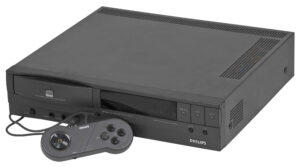
SAME CDi is a S(ingle) A(rcade) M(achine) E(mulator) for libretro, forked from MAME libretro, which is in turn a fork of MAME. It includes only the Philips CD-i driver, and simplifies the loading of CD content to provide a ‘plug and play’ experience. It emulates exclusively the Philips CD-i game console/settop box device from the early ’90s.
You can find more information at here and here.

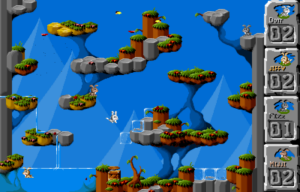
Jump ‘n Bump has finally been ported to Libretro/RetroArch. This is a game for the whole family. You play as a cute fluffy little bunnies and hop on each other’s heads.
At the beginning you are in the menu, where you have to let each active player jump over the tree trunk to enter the play area, and then walk to the right. You will then enter the arena. The aim is to jump on the other bunnies’ heads…
Jump ‘n Bump was originally a DOS game by Brainchild Design, which was open sourced under the GPL license and ported to SDL, and then SDL2.
How to use it
You can play Jump ‘n Bump by loading one of the .DAT files (levels) from Load Content. A fair few of them are available on Libretro/RetroArch’s ‘Content Downloader’.